GymApp 1.0[LEGACY / ARCHIVED]
Local gym management system developed in 2021. A fundamental step in transitioning from manual paperwork to digital operations.
Key Features
Member Management
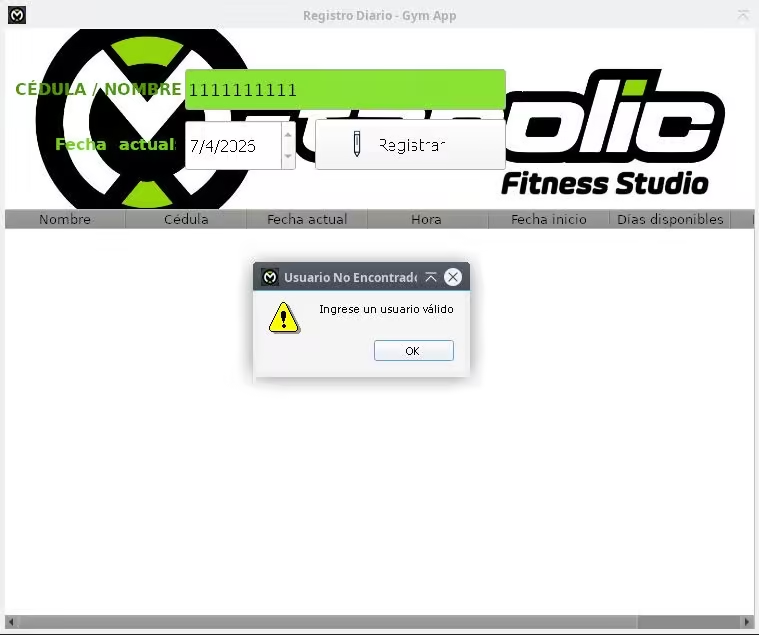
Registration and validation for active memberships. Check-in control via National ID verification.
Billing System
Modules for membership creation, payment tracking, and invoice generation with configurable tax rates.
Data Visualization
Physical progress tracking using Matplotlib charts integrated directly into the PyQt5 UI.
Local Architecture
Built as a standalone desktop app using SQLite for in-place data persistence.
Business Narrative
This system successfully digitized the operations of local gyms handling approximately 50 daily visits (200 total members). The primary goal was to reduce membership validation time to under 10 seconds using a simple ID-based lookup.
Special features included customer loyalty tools, such as birthday alerts for targeted discounts, and a flexible inventory system for membership types categorized by duration and pricing.
While functional, the technical and legal landscape has evolved. Looking back, the SQLite implementation lacked modern data retention policies and the advanced encryption layers that are now standard in my current work.
Technical Architecture
Tech Stack
- • Python 3.x
- • PyQt5 for UI
- • SQLite for Database
- • Matplotlib for plotting
Architectural Style
- • Monolithic Application
- • Tight coupling (UI + Logic)
- • Manual State Management
- • Legacy updates (No CI/CD)
Screen Captures
1. Invalid Member Entry
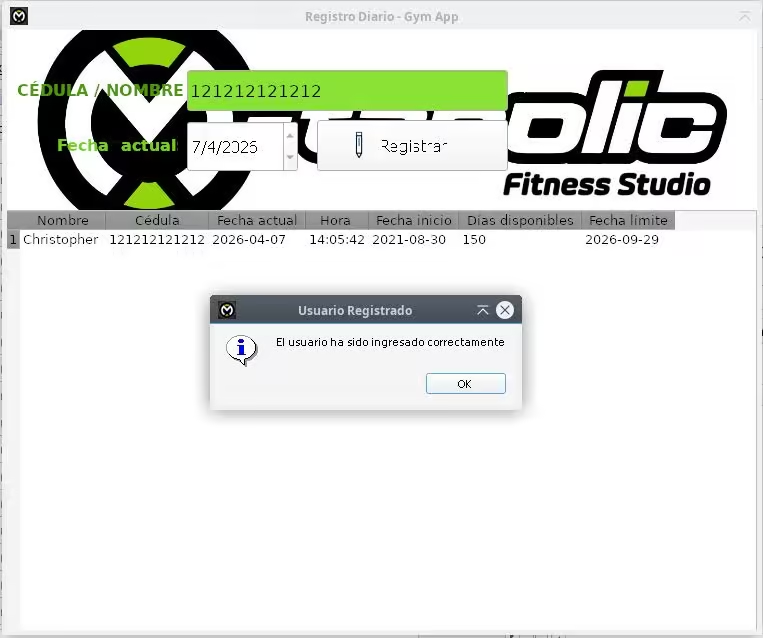
2. Valid Member Entry
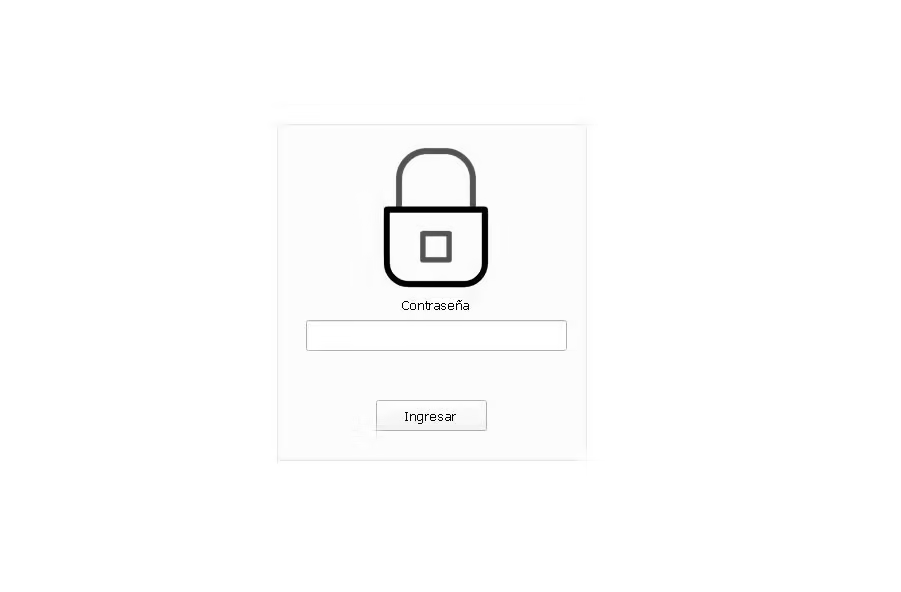
3. Login with PIN
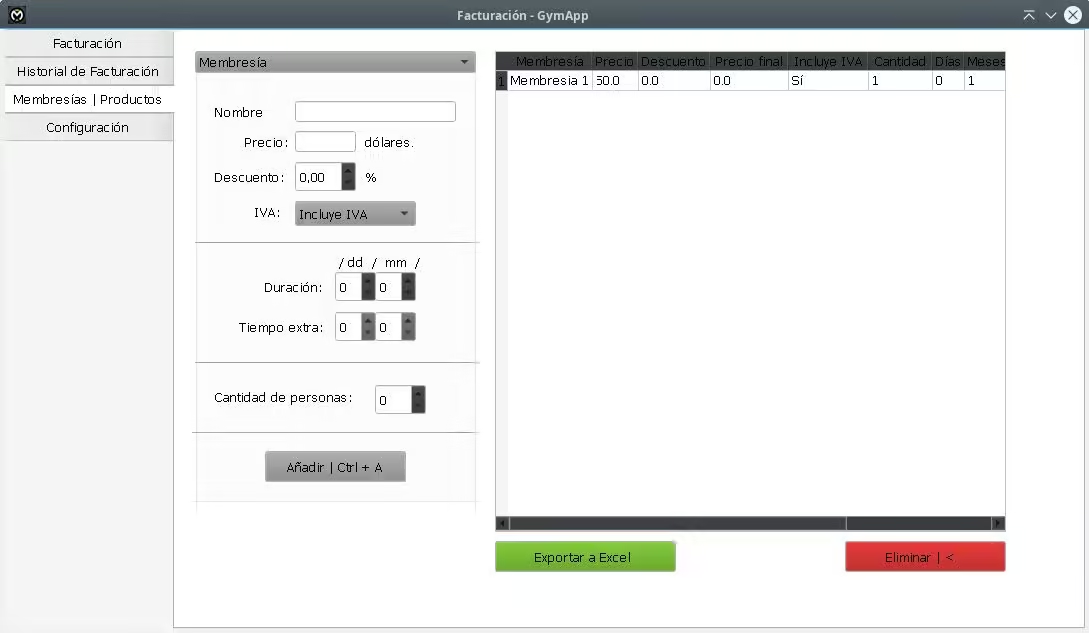
4. Membership Management (pricing and inventory)
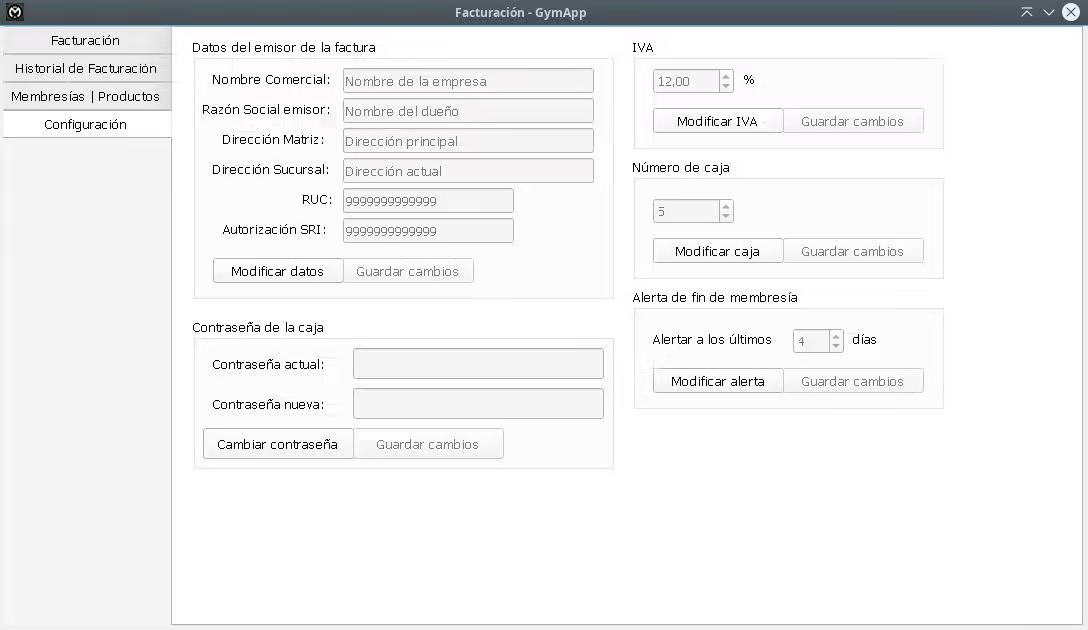
5. General Configuration and Expiration Alerts
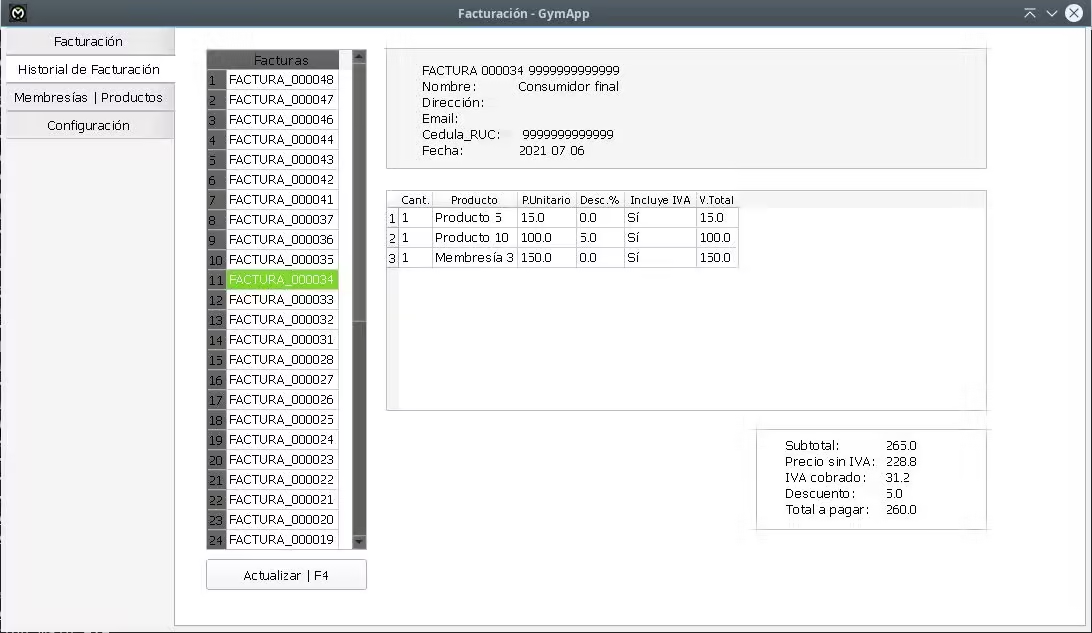
6. Detailed Invoice History
Post-Mortem Analysis
A creative technical workaround was implemented: Dual Input Support. The system managed two keyboards on a single PC—one for administrative tasks and an external numeric keypad for members to check in without disrupting the manager's workflow.
Despite its success, the project lacks a clear separation of concerns, with SQL queries often embedded directly within UI views. This project remains a milestone in my journey, teaching me the realities of shipping a product and handling basic concurrency.
Project Status
This project has been archived and replaced by modern versions compliant with current Data Protection Regulations.