Interactive Advent Calendar
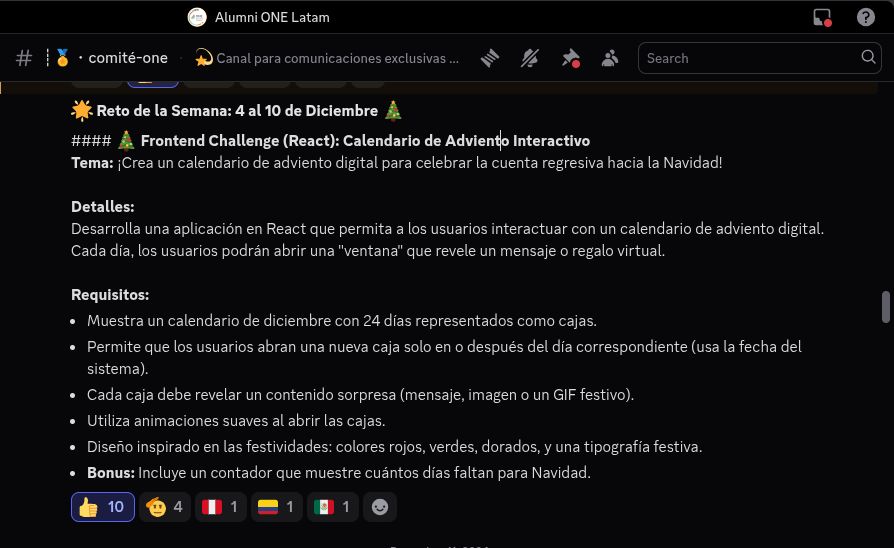
🌟 Challenge of the Week: December 4th to 10th 🎄
Theme: Create a digital advent calendar to celebrate the countdown to Christmas!
Challenge Context: Alura Latam
This project was born as part of a "Challenge of the Week" organized by theAlumini ONE group on Discord, a community of graduate students from the Oracle Next Education (ONE) program at Alura Latam.
Recognition and Winners
I am pleased to share that this project was one of the winners of the December challenge! The official announcement from the Alumini ONE group confirmed it:
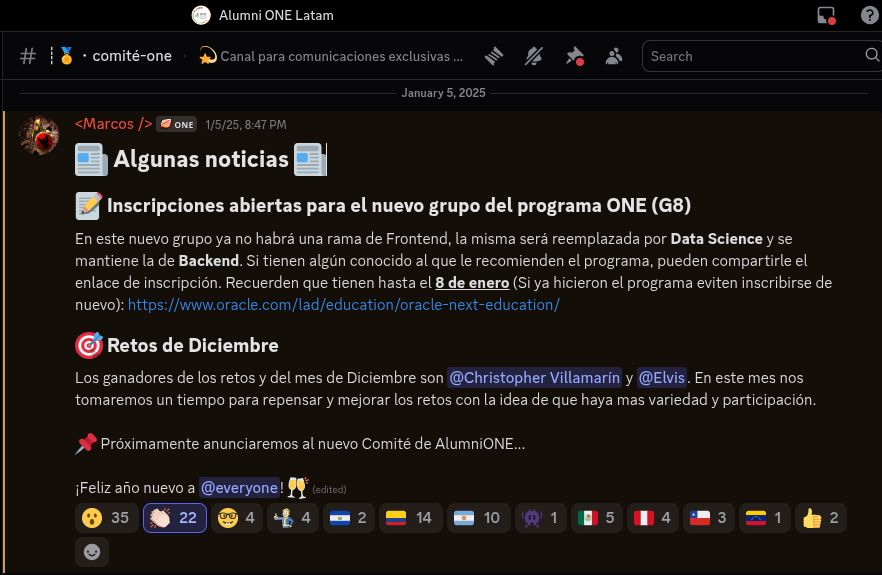
This recognition was a great incentive and demonstrates the value of actively participating in development communities.
Advent Calendar Preview
Experience how it works!
Description
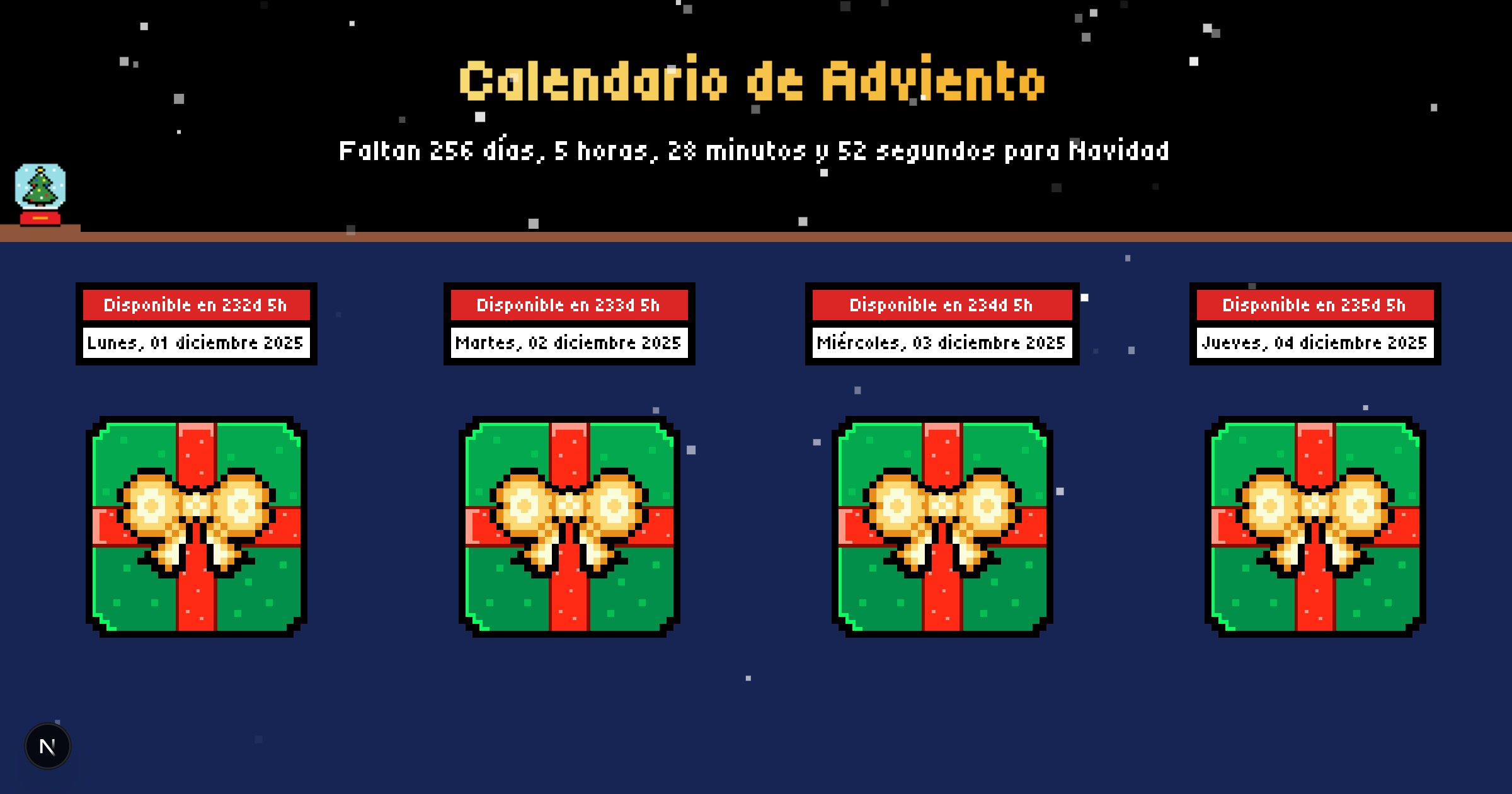
This project is a digital advent calendar developed in Next.js and exported as a static page. Each day, users can open a "window" that reveals a message or virtual gift. The design is inspired by the holidays, using red, green, and gold colors and a festive typography. Additionally, the project has a pixel art style.
Details
- Displays a December calendar with 24 days represented as boxes.
- Allows users to open a new box only on or after the corresponding day (uses the system date).
- Each box reveals surprise content (message, image, or a festive GIF).
- Uses smooth animations when opening the boxes.
- Includes a counter that shows how many days are left until Christmas.
Technologies Used
- Next.js: React framework for creating web applications.
- React: JavaScript library for building user interfaces.
- Tailwind CSS and CSS: For design and animations.
- Aseprite:For the visual style used in the project and images created with a pixel art style.
Installation
- Clone the repository:git clone https://github.com/xeland314/advent-calendar.git
- Navigate to the project directory:cd advent-calendar
- Install the dependencies:npm install
- Start the development server:npm run dev
Deployment
The project is deployed as a static page and can be viewed at the following link:
🔗 Project: Advent CalendarAuthor
Christopher Villamarín - GitHub