🛠️ Simplex Solver - Desktop App (Linux)
Comprehensive tool for Linear Programming with multiple definition and solution interfaces. Exclusive for Linux.
Core Solver and Functionality
The heart of the project uses the powerful
scipy.optimize.linprog module to provide
accurate linear programming solutions. It robustly handles:
- Maximization and Minimization objectives.
- Inequality constraints (\(\le, \ge\)).
- Equality constraints (\(=\)).
- Automatic conversion of Free Variables (without non-negativity constraint).
Advanced User Interfaces
1. Domain Specific Languages (DSLs)
Define optimization problems programmatically or in a human-readable way:
- String-based DSL: To load problems from
.lpfiles or directly from a text string in a standard format. - Pythonic DSL: An elegant syntax, inspired by mathematical libraries, that uses Python objects and operators to build the model natively.
2. Graphical User Interface (GUI) - PySide6
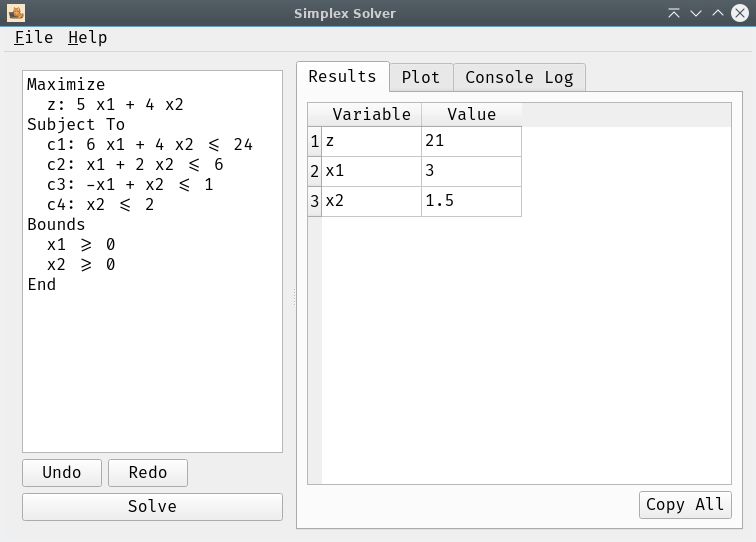
A complete desktop application built with PySide6 (Qt) that offers an interactive experience. It includes an editor, results table, and a logging console.
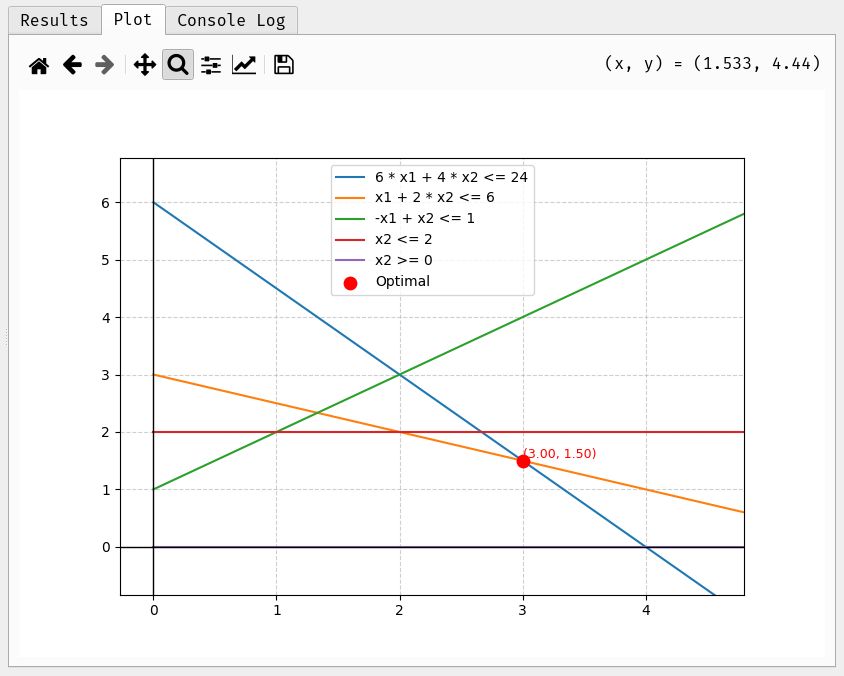
- Graphical Visualization: Displays the feasible region and the optimal point for 2-variable problems.
- Responsive UI: The solver runs in a separate thread to prevent the application from freezing.
Practical Example: Profit Maximization
The following optimization example (products A and B) is defined
concisely using the String-based DSL, which reads a format
similar to a traditional .lp file:
from dsl import DSLproblem_lp = DSL("""MAXIMIZEZ = 3*A + 4*BSUBJECT TO2*A + 3*B <= 1001*A + 2*B <= 80BOUNDSA >= 0B >= 0""")# 2*A + 3*B <= 100 # Work hours# 1*A + 2*B <= 80 # Raw materialsolver = problem_lp.to_simplex()solver.solve_problem()solver.show_results()# Optimal solution: A=20, B=30, Z_max = $180
Quick Installation and Usage
Dependency Installation
After cloning the repository, use pip to install
everything needed:
git clone https://github.com/xeland314/simplex.gitcd simplexpip install -r requirements.txt
Launching Interfaces
Run your preferred interface with a single command:
- GUI (Desktop Application):
- Interactive Command Line (CLI):
python app.py
python simplex.py